The AI Foundation Checklist for Small Businesses
Before you spend another dollar on AI tools, check whether your business is actually ready for AI. This guide is the practical checklist we walk through in an AI Foundation Review. It is built for owners and operators who want plain language, clear priorities, and a realistic action plan.
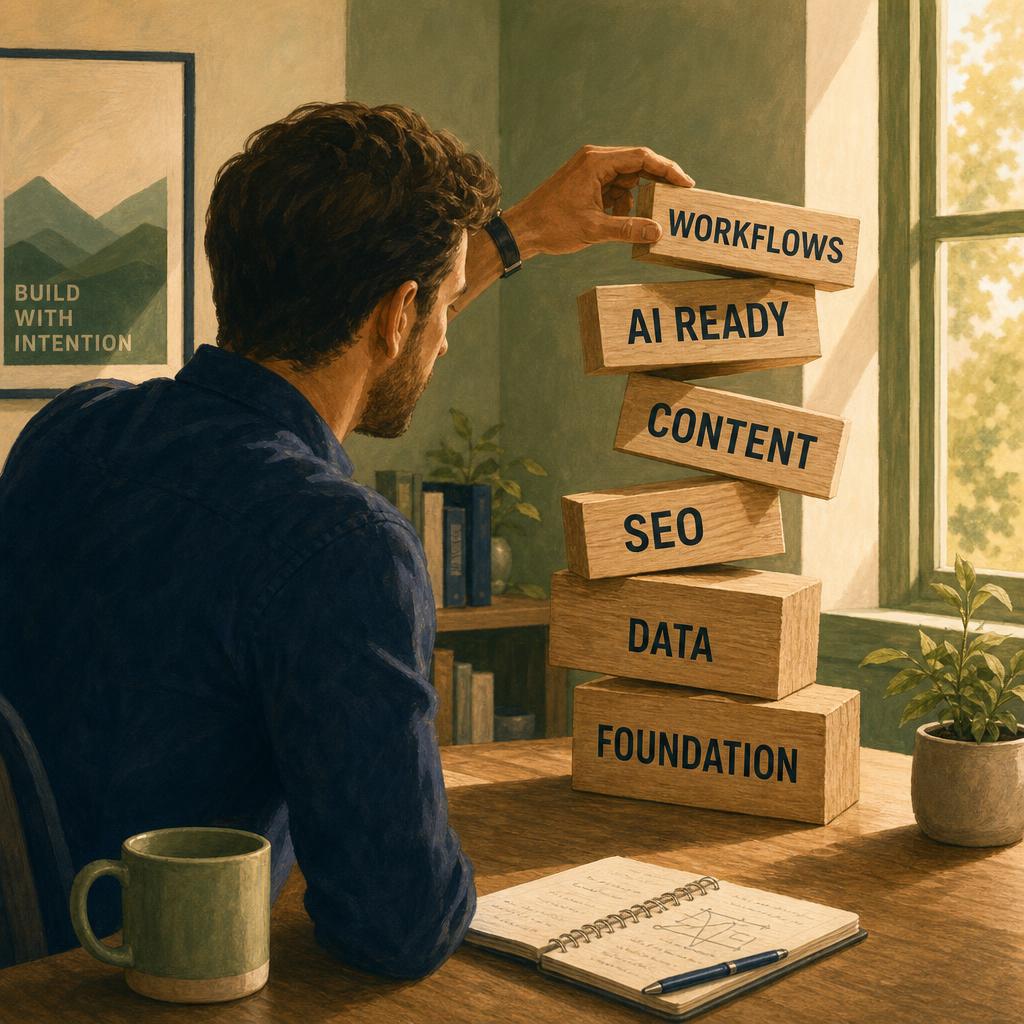
Why AI needs a business foundation
AI is leverage on top of what already exists. If your website is unclear, your tools are scattered, and your workflows live in someone's head, AI just speeds up the mess.
The businesses getting real value from AI did the boring work first: clear pages, claimed listings, one CRM, documented workflows, and a short policy for the team. That work is what AI runs on.
Most AI problems are foundation problems, not tool problems. Foundation first, tools second, scale third. Reverse the order and you'll buy subscriptions you never use.
Website clarity: can people and AI understand what you do?
Your homepage, services page, and about page are the first thing AI tools read when summarizing you. If a stranger can't tell what you do in 10 seconds, neither can a model.
- Homepage names what you do, who you serve, and where, in plain words.
- A real services page for each thing you sell — not one bucket.
- Pricing intent or starting points so buyers know they're in the right place.
- About page with a real bio, real photos, and credibility markers.
Rewrite your homepage hero in one sentence: '[We] help [audience] do [outcome] in [where].' If that sentence is hard to write, the rest of the site is harder to fix.
Google presence: Search Console, Google Business Profile, reviews
AI tools often rely on publicly available business signals — search results, directories, reviews, and website content — when forming answers. Perplexity, ChatGPT search, and Gemini all lean on overlapping signals: a verified Google Business Profile, consistent listings, reviews, and pages that already rank.
- Claim Google Business Profile. Fix categories, hours, services, and photos.
- Verify Google Search Console. Submit a sitemap. Watch which queries you already win.
- Ask the last 10 happy customers for a review this week.
- Check Bing Places and your top 3 industry directories for consistent name, address, services.
Open your Google Business Profile and fix the category. A wrong or vague primary category can seriously limit how often your business appears for the right local searches.
Content and AI legibility: does your site answer the questions buyers actually ask?
AI tools summarize. They prefer clear, specific, answer-shaped content over clever marketing copy. Your FAQ, service detail pages, and articles are where AI legibility is won.
- An FAQ that mirrors real prompts buyers type.
- A service page per offer with scope, who it's for, and what's included.
- At least 3–5 articles that answer your category's most common questions.
- Internal links between related pages.
Tool stack: what to keep, cancel, connect, or rebuild
Most SMBs are paying for software they outgrew, software they underuse, and software nobody owns. AI on top of that is expensive noise.
- List every paid tool, what it does, and who owns it.
- One CRM. One email tool. One project tool. One file store.
- Cancel duplicates this month, not 'eventually'.
- Decide which tools talk to each other — and which need a connector.
Export a list of every recurring charge. Highlight anything used by fewer than two people. Those are your first cancellation candidates.
Workflows: where repetitive work can become AI-assisted
AI saves time on repetitive, text-heavy, judgement-light tasks. Look at the work you already do — not the work the demos showed.
- Customer inquiry intake and first reply
- Quote and proposal drafts
- Meeting notes and follow-up emails
- Recurring reporting and weekly summaries
- Internal FAQ and onboarding answers
Internal knowledge: where your documents, FAQs, policies, and procedures live
AI is only as useful as the documents it can see. If your SOPs, FAQs, and policies live in inboxes and someone's head, you can't put AI on top of them.
- One shared folder per function: sales, ops, finance, HR, marketing.
- A one-page SOP for the top 5 workflows.
- A living internal FAQ that captures repeat questions.
- An onboarding doc so a new hire can answer common questions on day one.
Team habits: how employees are currently using AI
Your team is almost certainly using AI already — in personal accounts you can't see. That isn't a problem on its own. The problem is no shared guidelines, no shared library of what works, and no shared sense of what is safe.
- An approved tools list with the seat tier each role should use.
- A short list of approved use cases per role.
- A shared prompt library — three good ones beat thirty bad ones.
- A monthly 30-minute team share: one prompt, one win, one warning.
Data and privacy: what should not go into public AI tools
You don't need a 40-page policy. You need a clear one-pager so the team isn't guessing.
- Use a business or team tier when appropriate, and review that provider's data-use and privacy settings before employees share company information.
- Never paste client PII, financial account numbers, or signed contracts into a free chatbot.
- Redact names and IDs when the task doesn't need them.
- Name a single person who answers the 'is this OK?' question.
This checklist is not a replacement for legal, compliance, IT, or cybersecurity advice. For sensitive customer data, regulated industries, financial records, health information, contracts, or confidential business information, work with the appropriate specialist before building internal AI workflows.
First workflow wins: where to start
Pick one workflow that is high frequency, low risk, and clearly time-eating. Build it with the person who actually does the work. Document it as a one-page SOP. Measure the time saved.
Inbound inquiry triage. Meeting notes to action items. Weekly report drafting. Boring beats ambitious here.
30-day AI foundation action plan
Week 1 — Audit
- Rewrite your homepage hero sentence.
- Claim or fix Google Business Profile.
- List every paid tool and its owner.
Week 2 — Clean
- Cancel duplicate or unused subscriptions.
- Pick one CRM and one email tool. Migrate the rest.
- Write your one-page AI usage policy.
Week 3 — Document
- Document your top 3 workflows as one-page SOPs.
- Create a shared prompt library doc.
- Pick the first AI-assisted workflow to build.
Week 4 — Build and measure
- Build the first AI workflow with the person who does the work.
- Track old time vs. new time for two weeks.
- Decide the next workflow based on data, not vibes.
Keep reading
If you want to go deeper on any single layer of the foundation, start here:
- Homepage explains what you do in plain English.
- A real services page per offer.
- About page with bio, photos, credibility markers.
- Contact page with the way you actually want leads.
- Google Business Profile claimed, correct category, photos, reviews.
- Search Console verified, sitemap submitted.
- Bing Places claimed.
- Consistent name, address, services across top directories.
- FAQ that mirrors real buyer questions.
- 3–5 articles answering category questions.
- Internal links between related pages.
- One CRM. One email tool. One project tool.
- Every paid tool has a named owner.
- Duplicate or unused tools cancelled.
- Top 5 recurring workflows identified.
- Each has a one-page SOP.
- First AI-assisted workflow chosen.
- Shared folder structure per function.
- Living internal FAQ.
- Onboarding doc that a new hire can use day one.
- Approved tools list.
- Approved use cases per role.
- Shared prompt library.
- Schema/structured data on key pages.
- Mentions on category-relevant third-party sites.
- Baseline AI prompt audit (ChatGPT, Perplexity, Claude, Gemini).
- One-page AI usage policy.
- Reviewed data-use settings on chat tools.
- Single named owner for 'is this OK?' questions.
- First AI workflow built with the person who does it.
- Time saved measured for 2 weeks.
- Next 3 moves identified.
Frequently asked questions
+What is an AI foundation?
An AI foundation is the business structure AI needs in order to be useful: a clear website, accurate search presence, organized tools, documented workflows, internal knowledge, team guidelines, and basic privacy guardrails. Without that foundation, AI usually adds noise instead of clarity.
+Do I need to fix everything before using AI?
No. You can start using AI now, but you should avoid scaling it across the business before you know where your weak spots are. Start with one low-risk workflow, document the process, and improve from there.
+How long does building an AI foundation take?
Most small businesses can make meaningful progress in 30 days. The goal is not perfection. The goal is to clarify your website, clean up obvious tool problems, document a few workflows, create simple AI usage rules, and build one practical workflow.
+What is an AI Foundation Review?
An AI Foundation Review is a practical audit of your website, search presence, tools, workflows, content, team habits, and AI opportunities. The goal is to identify what to fix first so you do not waste money on tools your business is not ready to use.
+Do I need a developer or technical team to do this?
Not for the first step. Many foundation improvements are operational: clearer pages, better documentation, tool cleanup, workflow mapping, Google Business Profile updates, prompt libraries, and team guidelines. A developer or specialist may be helpful later for integrations, custom apps, private AI systems, or advanced automation.
+What is AI visibility, and is it the same as SEO?
AI visibility is how easily AI tools can understand and reference your business when answering questions. Traditional SEO focuses mostly on search engine rankings. They overlap, but they are not identical. Clear service pages, FAQs, structured information, reviews, citations, and helpful content can support both.
+Where should I start if I only have a weekend?
Start with four things: rewrite your homepage message in plain English, fix your Google Business Profile category and services, list every paid tool your business uses, and document one workflow that wastes time every week.
Ready to build the foundation AI can actually run on?
Start with an AI Foundation Review. We'll look at your website, search presence, workflows, tools, content, team habits, and AI opportunities — then help you decide what to fix first.